
What NaboTV actually does
The detail behind the headlines. Everything on this page works today; anything we are still building is marked as such, because finding that out after you install is worse than reading it here.
At a glance
One unified library
All your streaming subscriptions, side by side. No more guessing which app has what.
Search everything
Find any title across your whole catalog and filter by genre, year, rating, language, and more.
Play in one tap
Pick a title and NaboTV launches it straight into the right streaming app, or resumes right where you left off.
Profiles for everyone
Personal profiles keep each household member's watchlist, history, and recommendations their own, including PIN-locked kids profiles with parental controls.
Friends across households
Share and get recommendations from friends across households, then compare what you're each watching.
Plex, Emby and Jellyfin, in sync
Your own server's library sits beside your subscriptions, and watch status runs BOTH ways: NaboTV picks up what you've already watched and how far in you are, and pushes your progress back so you can finish in your server's own app. How the sync works.
Highlights
From the theater to your subscriptions
A want-to-watch graph that follows a title from opening weekend to the service you already pay for.
Mark it now, watch it anywhere
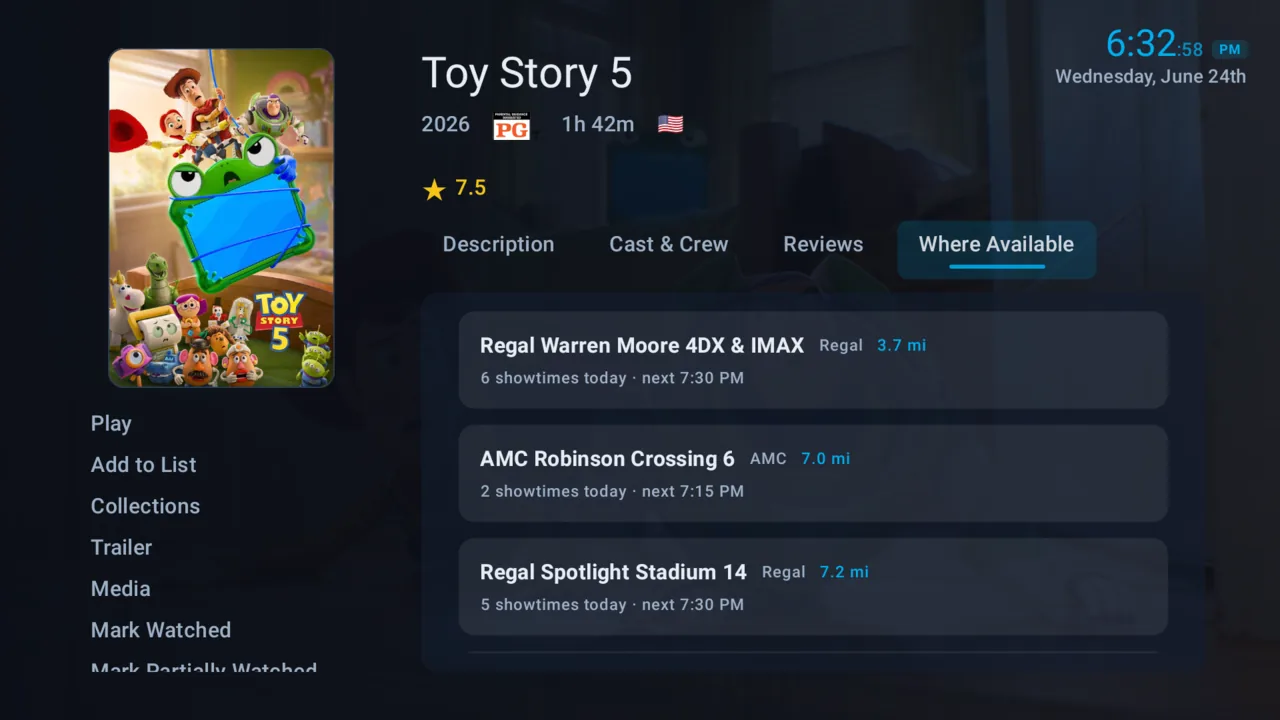
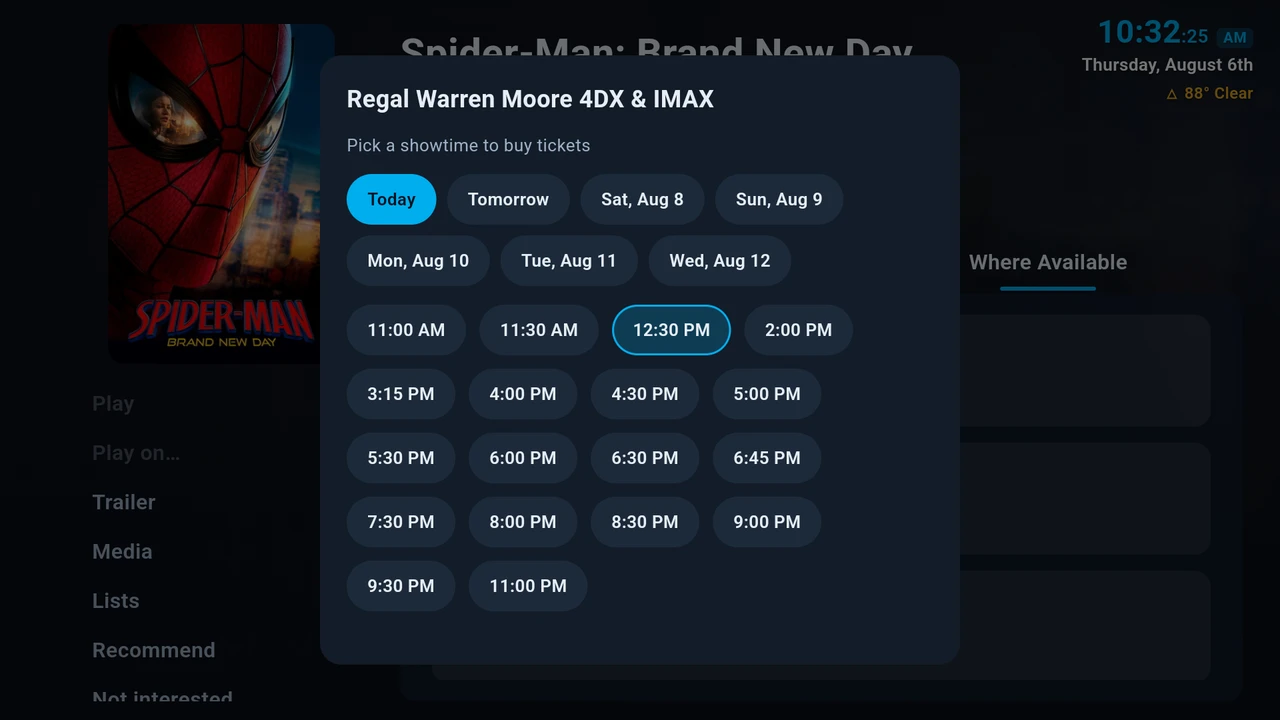
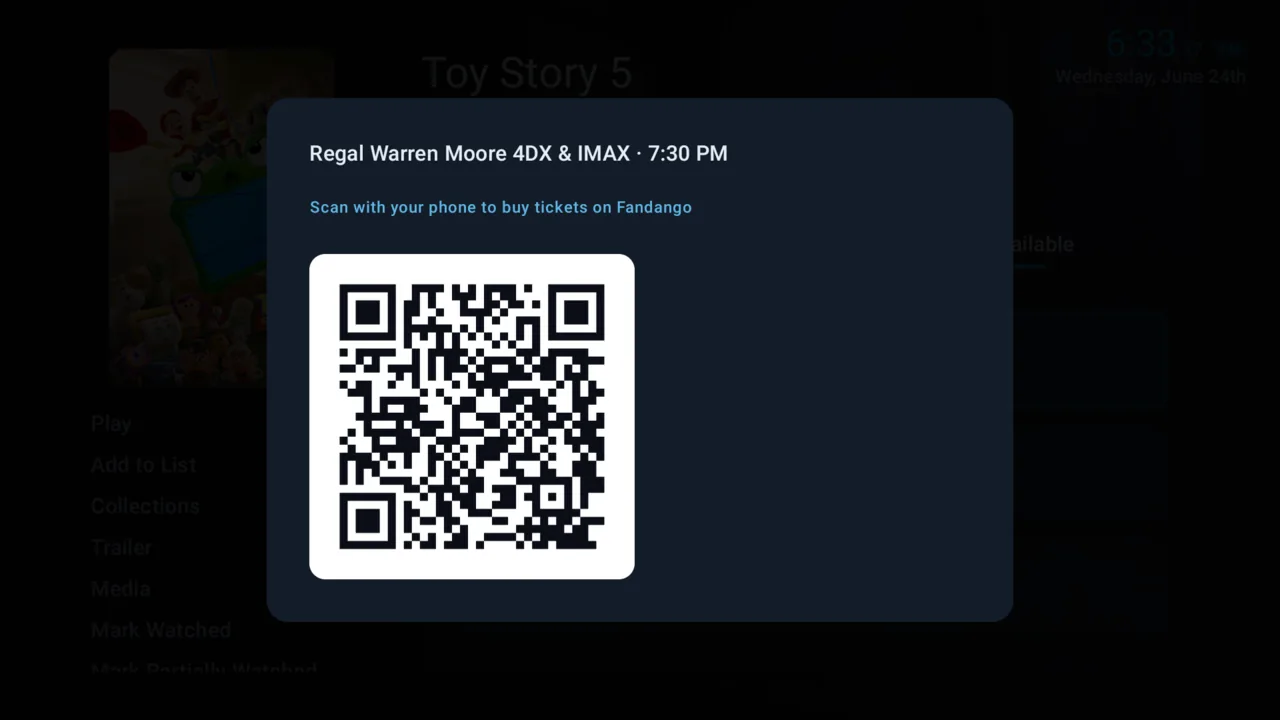
Mark any title, even before it streams. NaboTV surfaces local showtimes by distance; scan to buy on Fandango, then mark it watched so it lands in your unified history. Skip the theater, and it alerts you the moment that title hits a service you already pay for.
Turn the living room into game night
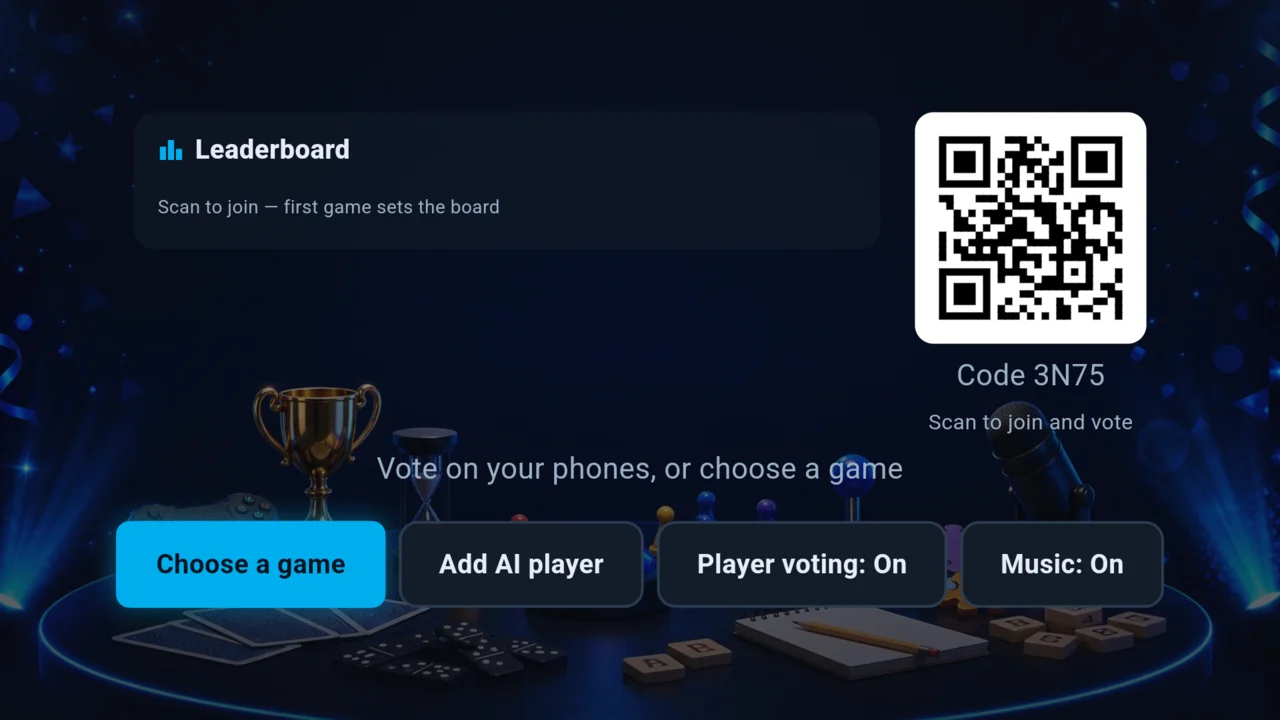
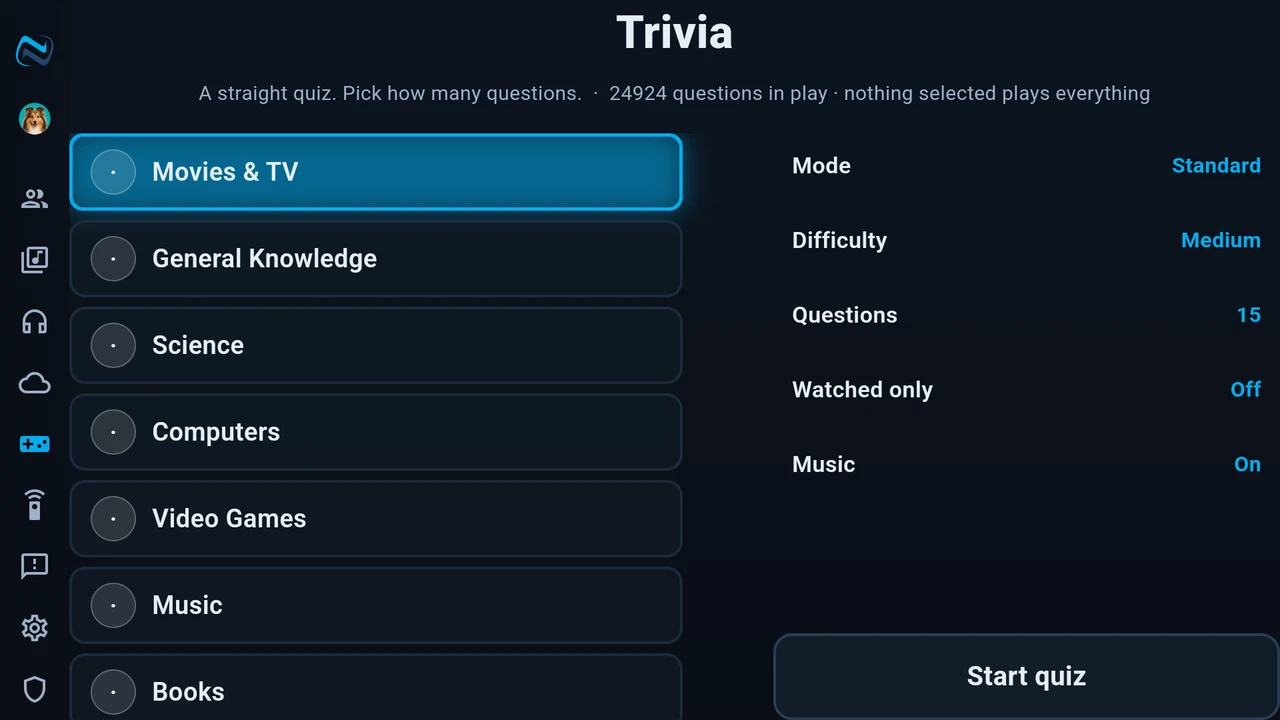
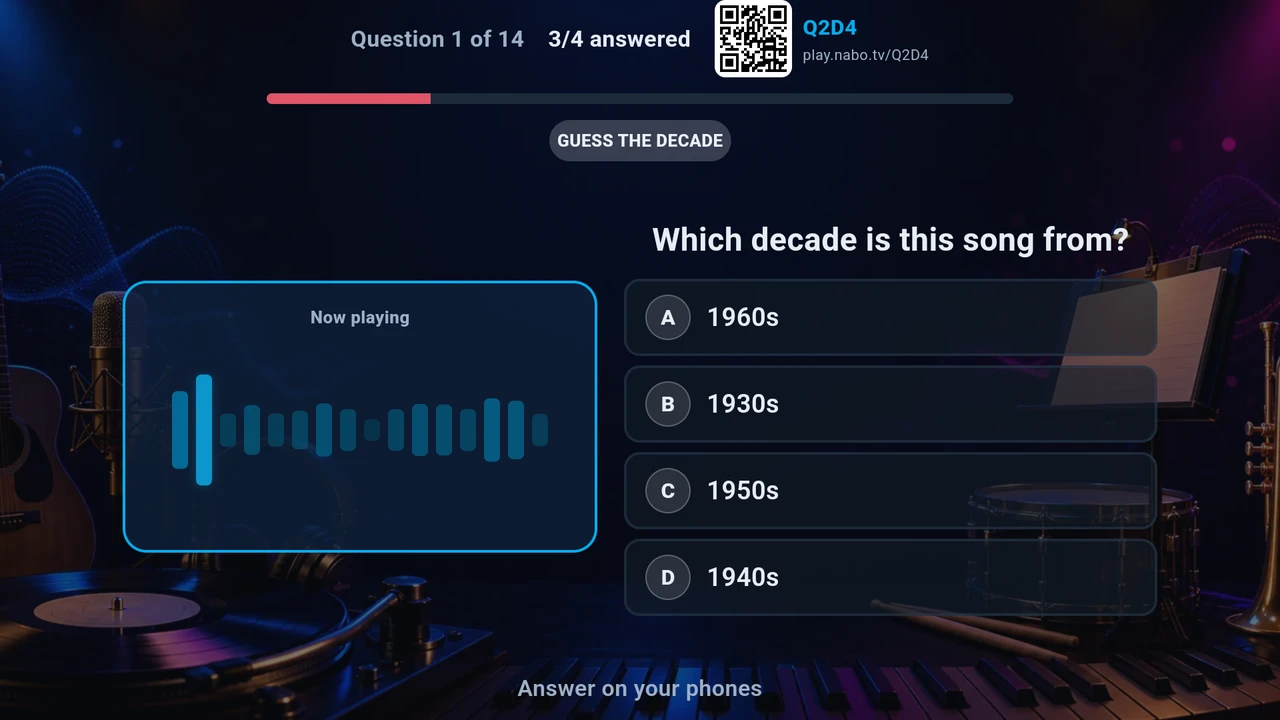
Trivia and party games everyone joins straight from their phone, with AI players that fill the empty seats.
Everyone plays, no controllers needed
The TV is the board; each person's phone is the buzzer. Start a game of Trivia or one of the party games in the Games hub, share the room code, and play together in the same room. Short a player or two? AI bots step in so the game always fills out.
- Trivia plus a growing hub of party games
- Join from any phone, no install or account setup
- AI players fill empty seats so a game never stalls
Kids get their own front door
Kid-safe profiles keep young viewers to what you approve, and only you can leave.
Parental controls that actually hold
Give each child a PIN-locked profile with an age ceiling and blocked genres. Browse, search, recommendations, and screensavers all respect the limits you set, so what's on screen stays age-appropriate everywhere in the app.
- Per-child age ratings and blocked genres
- PIN-locked so kids can't switch themselves out
- Limits apply across Browse, search, and rails
A screen worth leaving on
When the room goes quiet, NaboTV turns idle time into something ambient.
Weather, trivia, and cinematic idle screens
Let it rest and NaboTV drifts into a weather-aware screensaver, a round of trivia, or slow cinematic scenery, a living-room backdrop instead of a black screen.
- Weather that reflects the sky outside your window
- Trivia to pass the time between shows
- Slow, cinematic idle scenery

Never start from an empty app
Import your Netflix viewing history and two-way-sync with Trakt, so your Continue Watching and history are populated from day one. Automatic subtitles fill in when your files have none.
Private by design
No automatic content recognition. No selling your viewing data. Your history lives in your account, synced across every device and never trapped in one app or one TV. Go completely ad-free whenever you want.
Every feature, in detail
Everything below works today; anything we are still building is marked as such.
Your own media servers
NaboTV connects to Plex, Emby and Jellyfin. Your library appears alongside your streaming subscriptions in the same rails, the same search and the same Continue Watching, rather than living behind a separate app you have to remember to open.
| Plex | Emby | Jellyfin | |
|---|---|---|---|
| Browse & search your library | Yes | Yes | Yes |
| Play in NaboTV's own player | Yes | Yes | Yes |
| Reads watch status & resume points | Yes | Yes | Yes |
| Writes watch status back | Yes | Yes | Yes |
| Subtitles from the server | Yes | Yes | Yes |
| Multiple users on one server | Home users | One per connection* | One per connection* |
| Live "someone is watching now" | Yes | Yes | Yes |
* This is how Emby and Jellyfin themselves work, not a NaboTV restriction. Plex can issue a sign-in for each Home user, so one connection covers the household. Emby and Jellyfin only issue a sign-in to the person entering their own password, so everyone connects their own account.
Emby and Jellyfin authenticate as a single user, because neither offers an admin token that can act for other accounts the way Plex Home does. Connect once per person who wants their own watch state.
Watch status & resume, in both directions
This is the question we get asked most, so plainly: watch status is two-way.
Yes. When your library syncs, NaboTV picks up what is marked played and how far into each item you are, so a show you were part-way through on Emby is already waiting in Continue Watching.
Yes. While you watch, NaboTV pushes your position back, so the title shows up in your server's own Continue Watching at the right spot. Finish it and it is marked played there; clear it in NaboTV and it is marked unplayed there. You can watch in NaboTV tonight and pick up in Emby's own app tomorrow.
Neither has to be. Sync pulls from your server, playback pushes back to it, and both stay in step. Write-back only ever touches items that came from that server, so nothing else in your library is altered.
Continue Watching also spans your streaming subscriptions and syncs across every device on your account, so it is one list rather than one per app.
Streaming services
Tell NaboTV which services you subscribe to and it highlights what you can actually watch and dims what you cannot, across a catalog of essentially every movie and show, not just what happens to be installed on the device. Availability covers 65 countries.
- Picking a streaming title launches it in that service's own app, deep-linked to the title.
- Add-on channels (Disney+ with Hulu, Prime channels and the like) are handled as their own services, so "available on X" means available on what you actually pay for.
- Rent and buy options are shown as such, never dressed up as included.
Finding something to watch
- One search across your servers, your subscriptions and the full catalog at once.
- Home rails you arrange yourself, including Continue Watching, Recently Added, and what is new on the services you pay for.
- Collections and lists you build, follow and share.
- Per-episode availability for shows, so a series split across services still tells you where a given episode is.
- Theatrical: what is in cinemas now, with nearby showtimes, and a mark-it-now button so a film you spotted in the theater resurfaces when it reaches streaming.
- Ratings and reviews, yours and others'.
The player
Your personal media plays in NaboTV's own player rather than by handing off to another app.
- Resume, chapters and skip markers.
- Subtitles from your server, plus automatic search and download when your server has none, with timing adjustment when a file is out of sync.
- Cast to a TV: to another NaboTV device, to Chromecast, or to a Roku.
- Trailers and extras for a title, played in place.
Profiles & parental controls
- A profile per person, each with its own watch state, preferences and recommendations.
- Kids profiles with their own front door and rating limits that hold across both your library and streaming.
- Profiles map to your server's users, so each person's watches write back as themselves rather than piling into the owner's history.
Friends
Add friends across households to recommend titles to each other, message about them, and see what they are up for watching. Nothing is shared until you choose to share it.
Games
A built-in game night for the living room. Everyone joins from their own phone by scanning a code, with no controllers and nothing to install. Trivia is the flagship, spanning movies and TV, music clips, trailers, picture rounds and more; other party games are in earlier stages. Games are opt-in per profile.
Screensaver & ambient
Left idle, the TV becomes something worth looking at: cinematic artwork from your own library and the wider catalog, trailers, local weather, and trivia you can play along with from the sofa. The clock, the pacing and which scenes appear are yours to set.
Where it runs
- Android TV and Google TV, and Fire TV.
- Phones and tablets (Android and iOS).
- The web, at app.nabo.tv.
- Apple TV.
- Roku: as a cast target rather than a full app.
One account across all of them, with everything in sync.
Privacy
- No third-party trackers and no advertising SDKs.
- Your library and watch history are yours: export them or delete your account and its data outright, from inside the app.
- NaboTV never proxies your personal media through our servers; it streams from your server to your device.
Still missing something?
If you had to ask us rather than find it here, that is our bug. Tell us and we will add it to this page.